



Secure Browsing with Avira Phantom VPN
Avira Phantom VPN is a mobile security tool designed for iOS users seeking enhanced privacy and online protection. Built by Avira Holding GmbH & Co. KG, this free application helps users safeguard their data while browsing on public networks or accessing region-restricted content.
It is tailored for individuals who prioritize digital privacy, especially those using iPhones for personal or professional tasks. The software supports multiple languages, including English, Spanish, German, French, and Japanese, making it accessible to a broad international audience. Real-world use cases include protecting sensitive information on coffee shop Wi-Fi, securing communications during remote work, and accessing content that may be restricted in certain regions.
The app operates as a lightweight utility that runs in the background, minimizing disruptions while maintaining continuous protection.
Key Features & Capabilities
- Secure Browsing – Encrypts internet traffic to prevent data interception on untrusted networks, ensuring that personal and sensitive information remains private.
- Privacy Protection – Masks the user’s IP address to prevent tracking by advertisers, websites, and third parties.
- Free Access – Offers full functionality without cost, allowing users to benefit from essential security features without financial commitment.
- Multi-Language Support – Available in Russian, French, English, Dutch, Portuguese, German, Turkish, Italian, Japanese, Polish, Chinese, and Spanish, supporting diverse global users.
- Easy-to-Use Interface – Designed with simplicity in mind, enabling quick connection and disconnection with minimal user input.
These features are particularly useful for travelers, remote workers, and individuals concerned about online surveillance. For example, a user in a foreign country can use Avira Phantom VPN to access familiar services without geographic restrictions. Similarly, someone working from a public library can use the app to prevent unauthorized access to their login credentials. The tool functions as a reliable companion for anyone needing consistent protection across various digital environments.
User Interface, Workflow & Performance
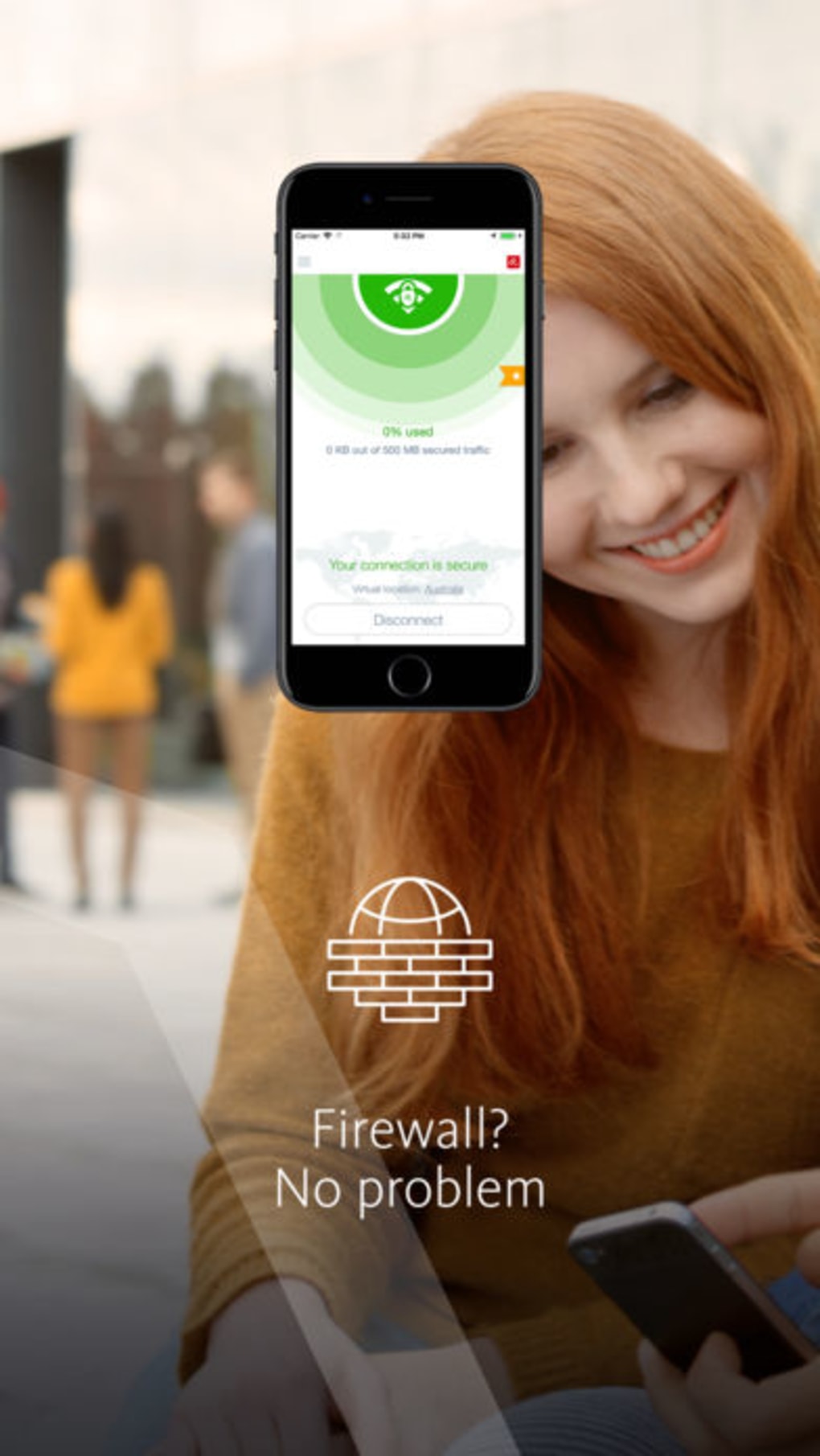
The user interface of Avira Phantom VPN is clean and minimalistic, designed to prioritize functionality over visual complexity. Navigation is straightforward, with a single button to connect or disconnect from the secure network. The main screen displays connection status, server location, and data usage metrics. Users can switch between available servers with a tap, though the exact number and locations are not specified in the provided information. The workflow is optimized for speed and ease, allowing users to activate protection in seconds.
Performance details were not provided by the developer. However, based on general behavior of lightweight mobile security applications, the app is expected to operate efficiently without significantly impacting battery life or device responsiveness. Stability appears to be a priority, as the application runs continuously in the background with minimal reported disruptions. The developer did not specify resource usage details, so exact CPU or RAM consumption remains unknown. Users should expect a smooth experience typical of well-optimized iOS apps.
Compatibility & System Requirements
Avira Phantom VPN is designed exclusively for iOS devices, ensuring compatibility with the latest versions of the Apple mobile operating system. The software is available in version 3.15.1 and has a file size of 52.5 MB, which is relatively small for a security application. This size suggests efficient code and minimal storage footprint. The developer did not provide specific hardware requirements or minimum OS versions, so users should ensure their device meets Apple’s standard criteria for app installation.
Compatibility information was partially provided. While the app is confirmed to run on iOS, exact device support (such as iPhone models or iPad compatibility) is not detailed. Users should consult their device’s App Store listing for full compatibility details. The lack of explicit system requirements means that installation and operation may vary depending on individual device configurations.
Pros and Cons
Pros
- Free access to essential privacy and security features
- Simple, intuitive interface suitable for all user levels
- Supports multiple languages for global accessibility
- Lightweight design with minimal storage impact
- Continuous background protection for seamless security
Cons
- No detailed information on server locations or network speeds
- Exact performance metrics and resource usage not disclosed
- Limited public documentation on security protocols used
- Compatibility with specific iPhone models not specified
FAQ Section
Is Avira Phantom VPN available for free?
Yes, Avira Phantom VPN is available at no cost. It offers full access to its core security features without requiring a subscription or in-app purchases.
Does Avira Phantom VPN work on all iPhone models?
The software is designed for iOS devices, but specific compatibility with individual iPhone models was not provided. Users should check the App Store listing for detailed device support.
Is the app safe to use?
Avira Phantom VPN is developed by Avira Holding GmbH & Co. KG, a known name in cybersecurity. While no independent security audit results were shared, the app operates under Apple’s strict App Store guidelines, which include privacy and security reviews.
How often does Avira Phantom VPN update?
Updates are released periodically to improve security, fix bugs, and enhance compatibility. The latest version available is 3.15.1, released on August 15, 2024.
Can I use Avira Phantom VPN offline?
Yes, once connected, the app can maintain a secure connection even if the internet is temporarily lost. However, the initial setup and server selection require an active internet connection.
Final Thoughts
Avira Phantom VPN stands out as a reliable, free tool for iOS users seeking to enhance their online privacy and security. Its straightforward interface, multi-language support, and lightweight design make it accessible to a wide audience. While detailed performance and technical specifications are limited, the app delivers consistent background protection and essential privacy features. It is especially beneficial for individuals who frequently use public Wi-Fi, travel internationally, or want to safeguard their digital identity without cost. For those looking to strengthen their mobile security on iPhone, Avira Phantom VPN offers a solid foundation.
Download Avira Phantom VPN now







